

Discover how Winglytics is revolutionizing brand visibility for the AI era and why it’s the perfect partner for professionals using Avatalk’s AI-powered digital business card
No credit card is necessary to sign up.
Adding a PDF to your digital business card effectively makes a lasting impression and gives your audience a deeper look into your brand or services. The added content can elevate your networking game and make you stand out whether you choose a simple link or a direct embed.
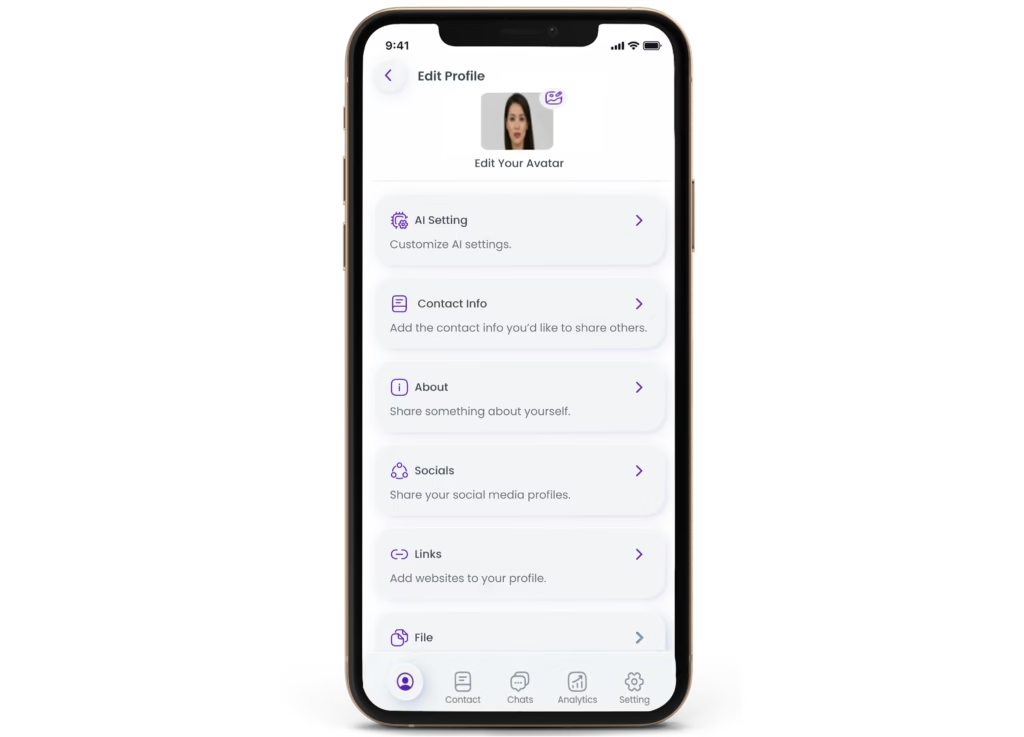
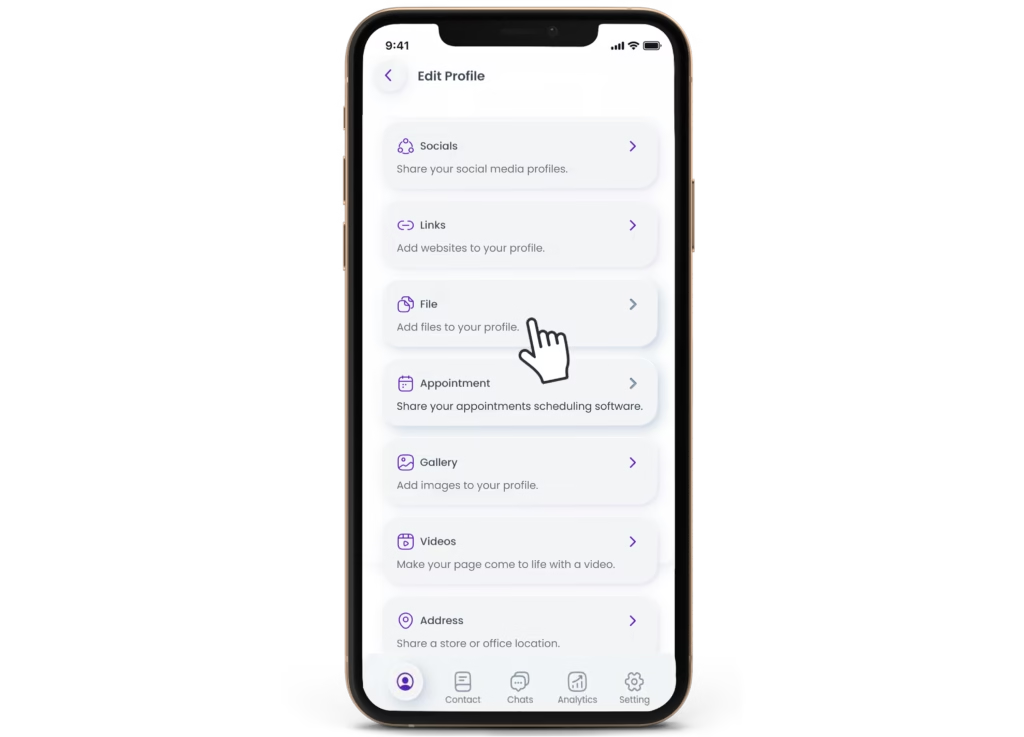
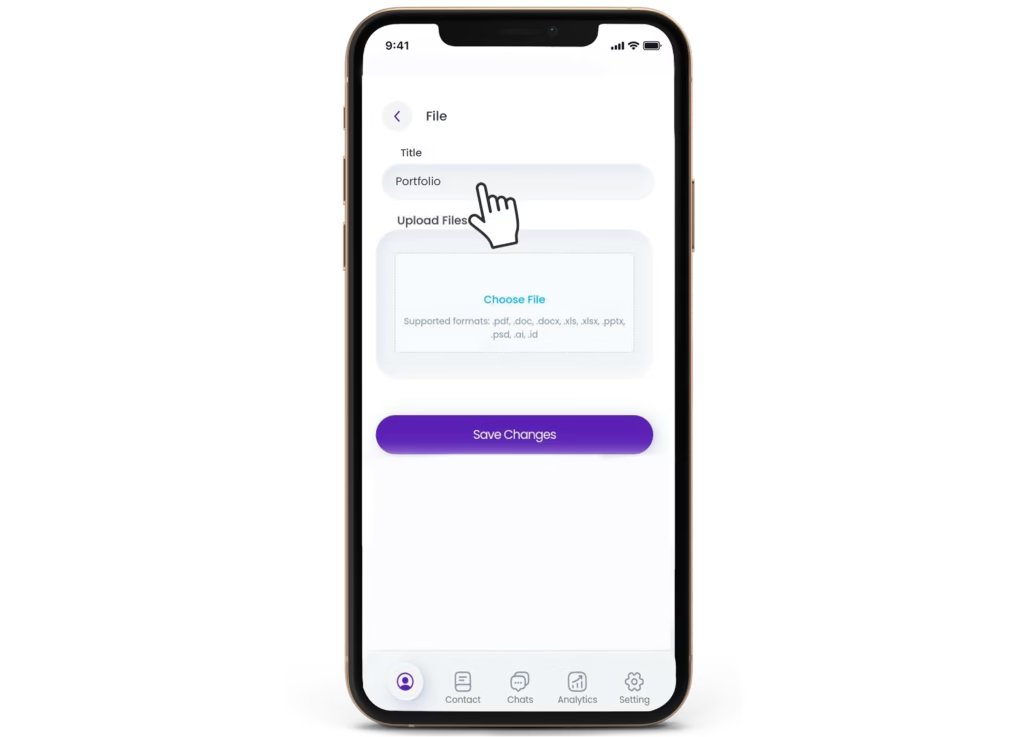
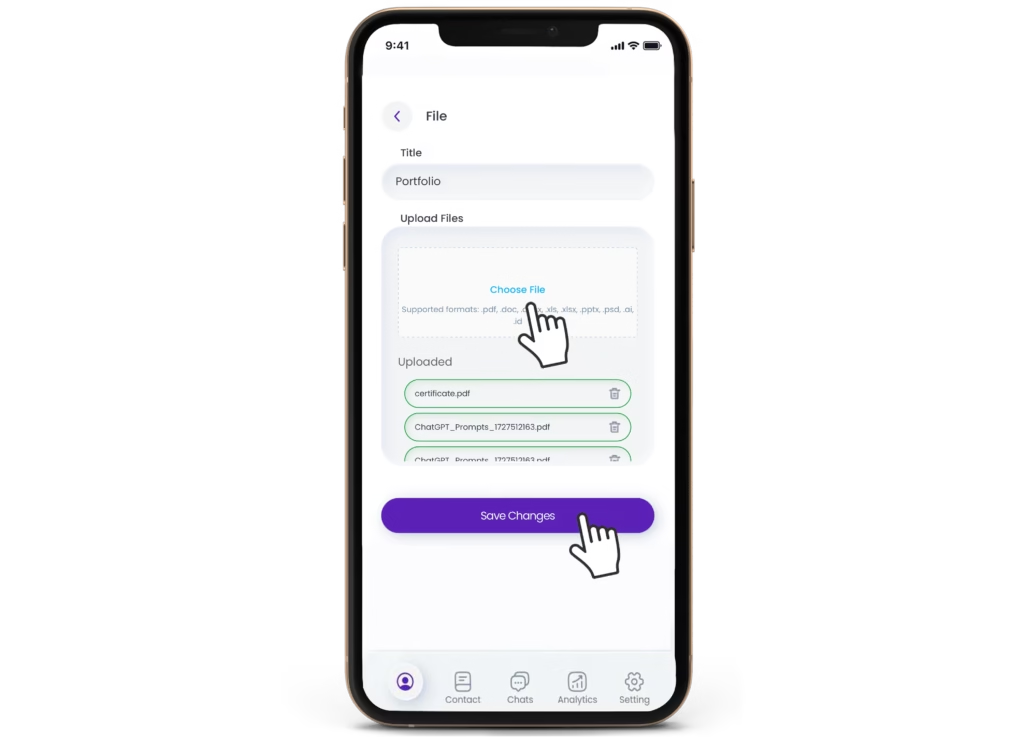
Let’s walk you through the step-by-step process of adding a PDF to your Avatalk digital business card. We’ll also cover some benefits, tips, and FAQs to ensure you get the most out of this powerful networking tool.
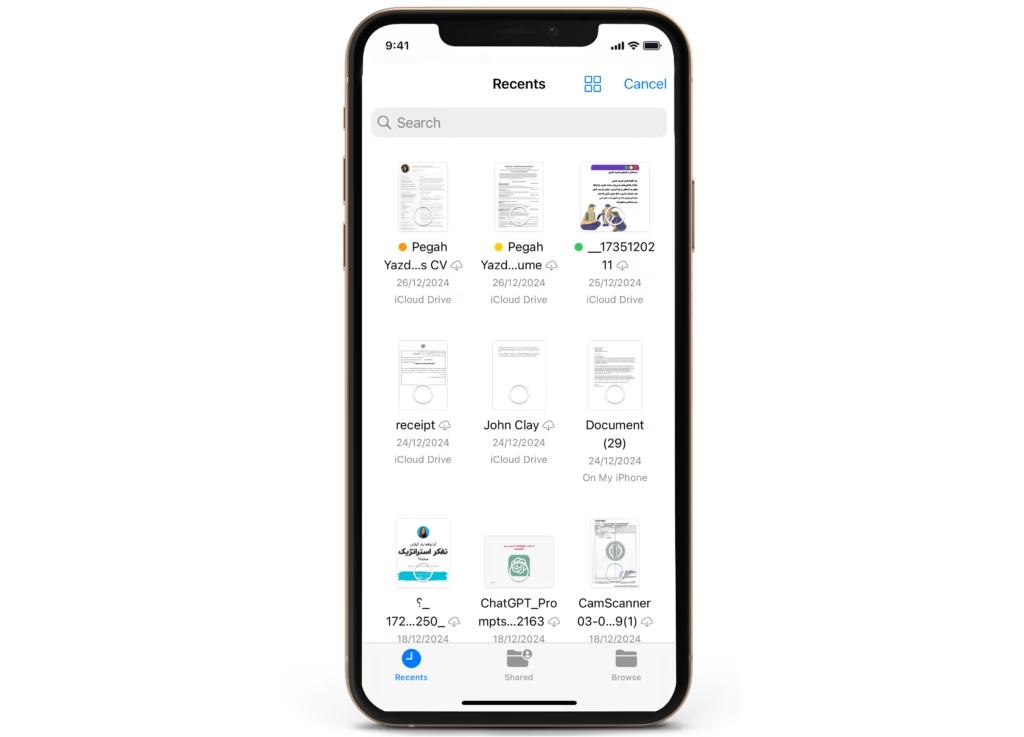
Adding a PDF to your free digital business card is a simple but impactful way to elevate your brand and provide more in-depth information than a standard card allows. Imagine being able to hand over not only your contact information but also a detailed company brochure, service portfolio, or even a case study—all in one shareable card.
A PDF can enhance your digital business card in several ways:
Case Studies or Testimonials: Highlight your expertise and past successes.
Now that we’ve covered the benefits and options let’s go through the steps to add a PDF to your digital business card.
Adding PDFs to digital business cards can:
Keep your PDF file size under 5 MB for optimal performance on digital business cards. Smaller files ensure quick loading on both desktop and mobile devices, providing a smooth experience for the viewer.
Avatalk allows users to add multiple PDFs to their digital business cards. You can upload different PDFs for various purposes, such as showcasing a portfolio, adding testimonials, or sharing a company brochure.
Avatalk offers analytics that allows you to monitor who views or downloads your PDF. You can access insights on viewer engagement directly from your Avatalk dashboard, helping you understand which resources resonate most with your audience and tailor future content accordingly.
PDF files are widely preferred because they maintain high-quality resolution and preserve all design elements, including fonts, colors, and images, exactly as intended across different devices and printers.
Adding a PDF to your digital business card is a smart way to showcase more about your business in a compact, efficient format. With a PDF, you can go beyond basic contact information and offer potential clients or collaborators a detailed view of your work, services, and achievements.

Discover how Winglytics is revolutionizing brand visibility for the AI era and why it’s the perfect partner for professionals using Avatalk’s AI-powered digital business card

Discover how Safe2Marry empowers men to make informed, confident decisions before and after marriage through AI-powered tools, legal guidance, and a supportive community.

The Complete Guide to AI Digital Business Card Lead Generation: How Modern Professionals Generate More Leads in 2025

Enhance your networking experience with Avatalk's innovative AI-driven digital business card. This tool facilitates more meaningful connections with clients and allows you to elevate your professional presence seamlessly. Cultivate lasting relationships with ease and efficiency.
Useful Links
Follow Us
INNOVATIWAY LIMITED © 2025. All rights reserved.
All fields are required.
