
Hey It’s AI: Your Daily Shortcut to the Best AI Tools on the Internet
Discover “Hey It’s AI” — your smart, clutter-free shortcut to the latest and most useful AI tools, updated daily for creators, solopreneurs, and innovators.
Digital business cards are now the go-to method for sharing contact information quickly and efficiently. But what if you could do more than just exchange contact details? By adding a gallery to your digital business card, you can showcase your work, achievements, and personality in a visually engaging way. Let’s dive into how you can add a gallery to your digital business card and make your networking truly stand out.
People are visual creatures. A gallery offers an immediate way to capture attention by showcasing your work, projects, or brand. It’s like giving someone a mini portfolio in just a few seconds.
A gallery instantly elevates your digital business card, making you look more professional and put-together. Whether you’re a photographer, designer, or any professional with visual assets, this feature allows you to highlight your best work.
Let’s face it: most digital business cards just have basic contact info. By adding a gallery, you create a unique, memorable card that stands out in the sea of sameness. It’s a simple yet effective way to distinguish yourself.
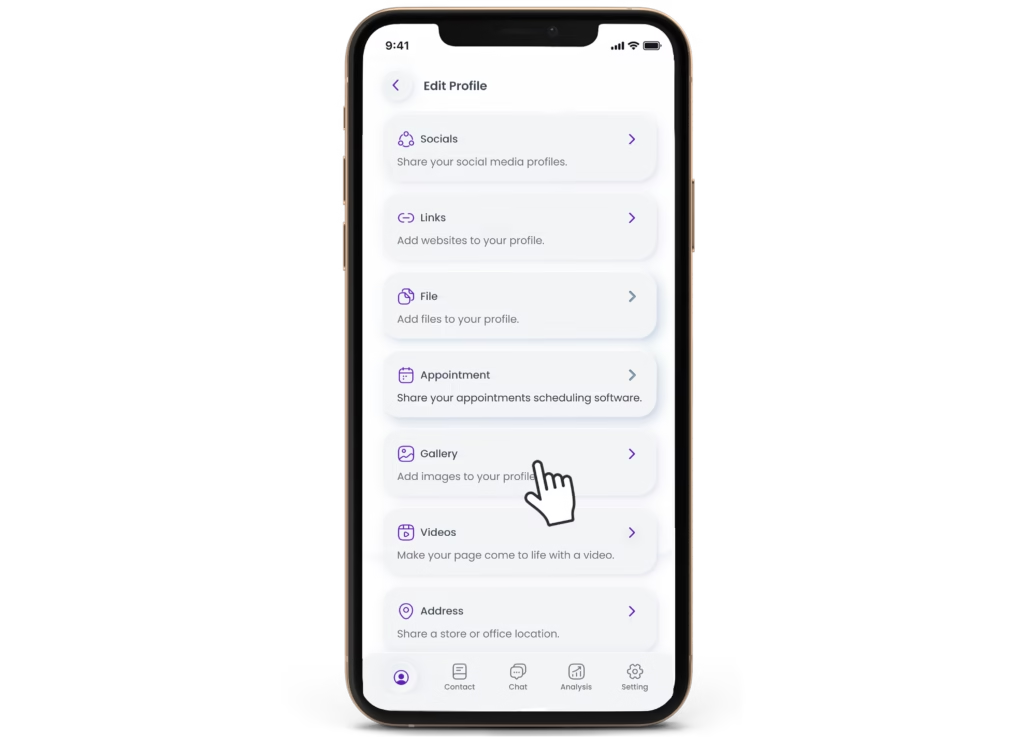
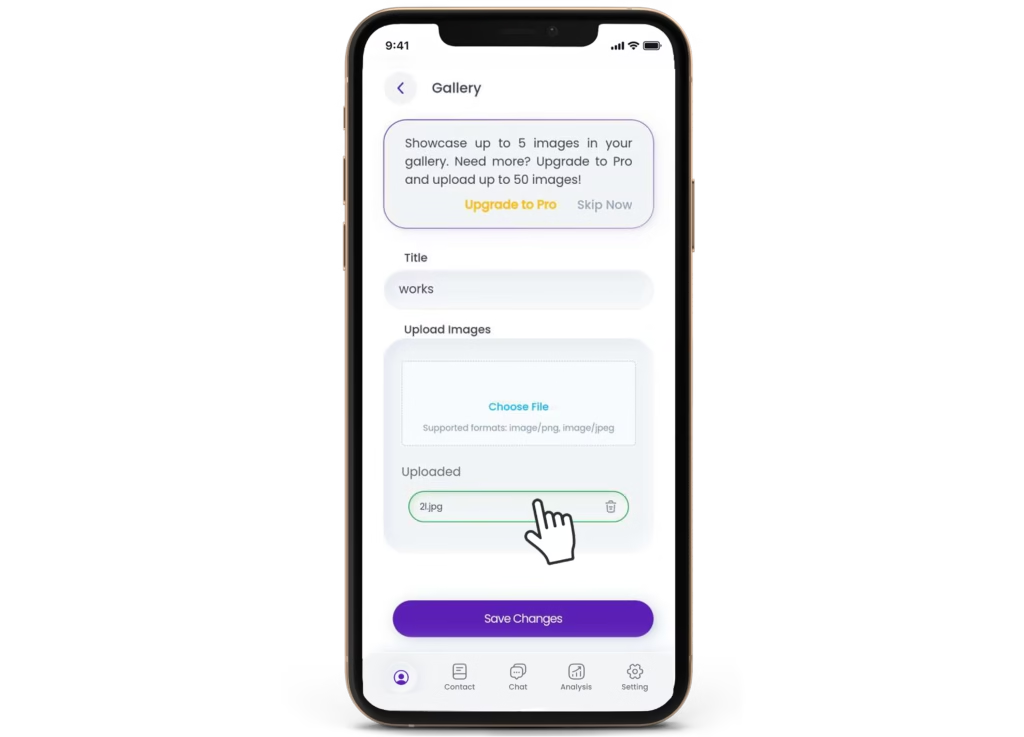
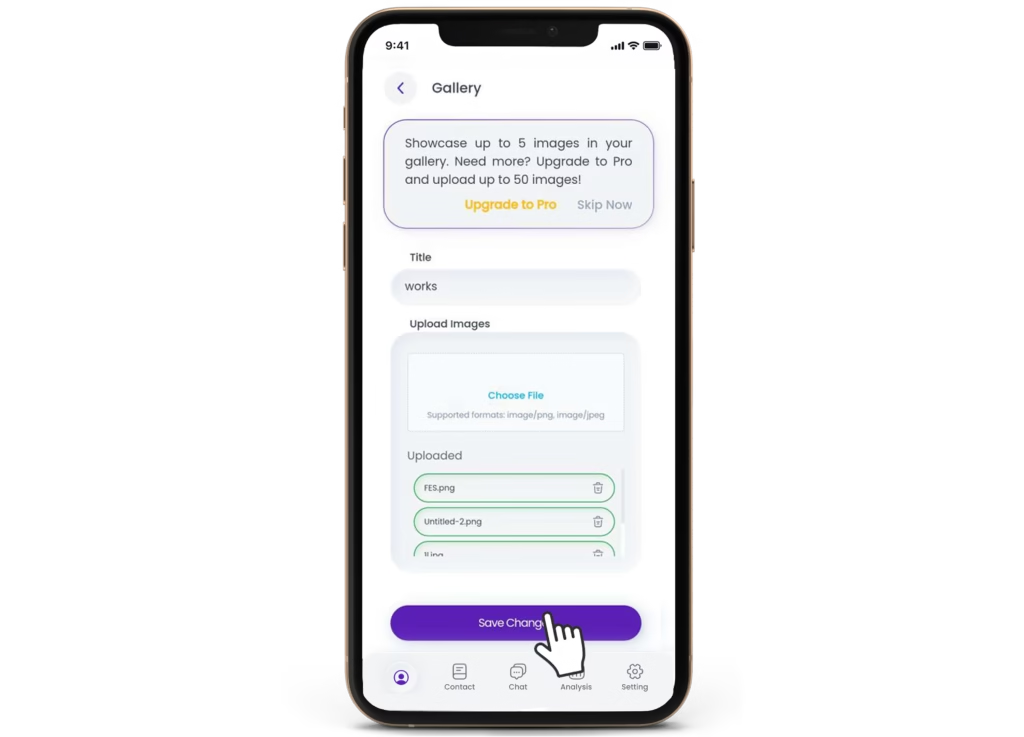
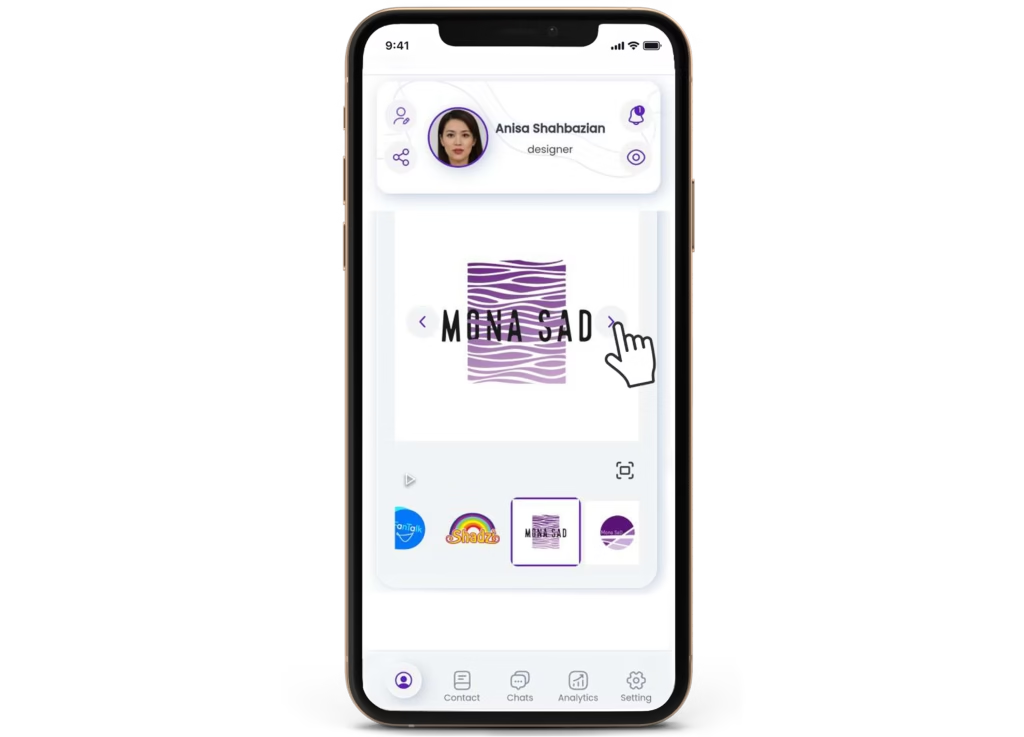
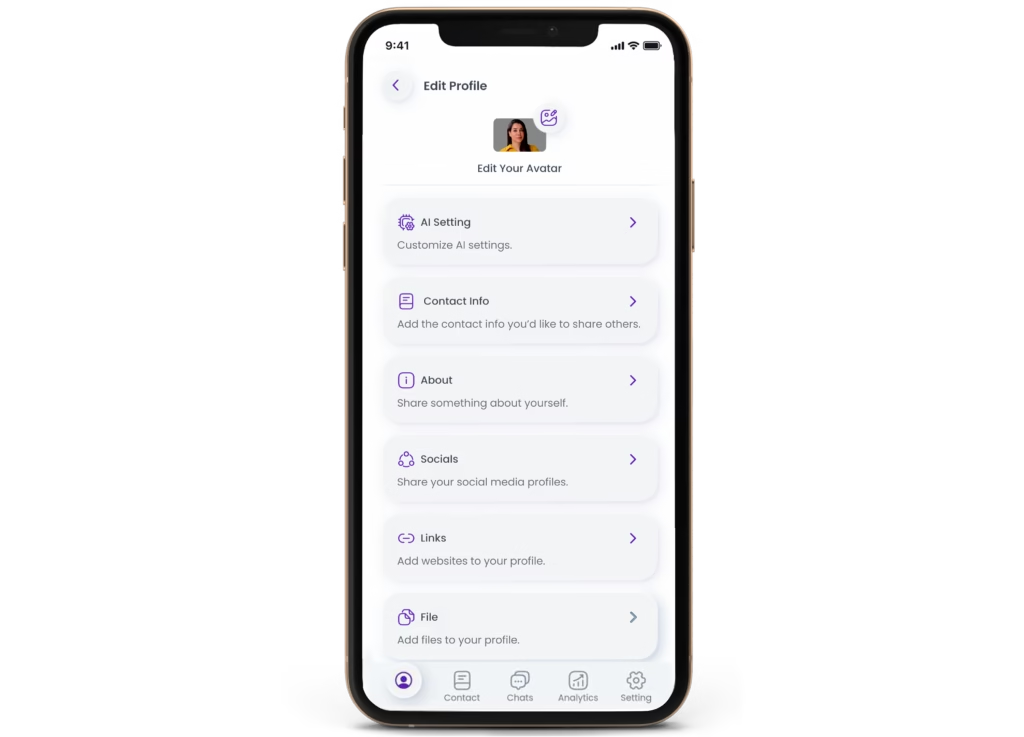
One key feature that can elevate your digital business card is a gallery. With Avatalk AI digital business cards, you can showcase a collection of your work, products, or services with ease. To add a gallery to your digital business card, follow these steps:
Blurry or low-resolution images can turn people off. Always use high-quality images that show off your work in the best light.
Don’t overload your gallery with too many images. A well-curated selection is far more impactful than an endless scroll of visuals.
Show versatility by including a range of work. Whether it’s different projects or skills, make sure your gallery reflects the diversity of what you offer.
Just like any part of your professional portfolio, your gallery should be regularly updated to reflect your most current work.
Make sure the media in your gallery is up-to-date. You don’t want potential clients or employers seeing work from years ago that no longer reflects your current skill level
A disorganized gallery can confuse or frustrate viewers. Always curate your gallery with intention, keeping the flow easy to follow.
Yes, you can embed videos to your digital business card, which can enhance the interactive experience of your card.
JPEG and PNG formats load quickly and are commonly supported.
No, Avatalk AI digital business cards offer built-in gallery features.
With Avatalk, you can enjoy the flexibility of unlimited image uploads to your digital business card, allowing you to showcase as many photos as you need.
Adding a gallery to your digital business card can enhance the way you present yourself or your business. It’s a simple yet powerful feature that transforms a static card into a dynamic and interactive networking tool.

Discover “Hey It’s AI” — your smart, clutter-free shortcut to the latest and most useful AI tools, updated daily for creators, solopreneurs, and innovators.

Learn how digital business cards help healthcare professionals with instant sharing, eco-friendliness, and better networking.

Learn how digital business cards help healthcare professionals with instant sharing, eco-friendliness, and better networking.


Enhance your networking experience with Avatalk's innovative AI-driven digital business card. This tool facilitates more meaningful connections with clients and allows you to elevate your professional presence seamlessly. Cultivate lasting relationships with ease and efficiency.
Useful Links
Follow Us
INNOVATIWAY LIMITED © 2025. All rights reserved.
All fields are required.